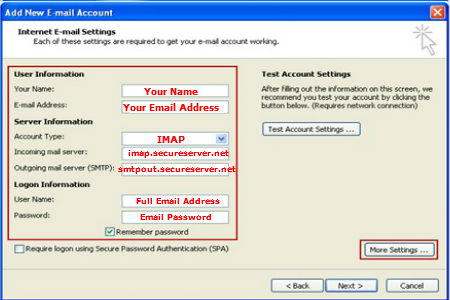
Setting Up cPanel Email with Outlook 2010
Step 1:
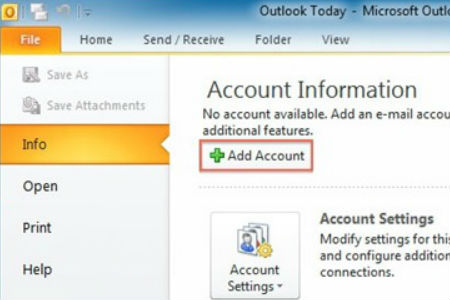
Open Outlook 2010, go to the ‘File’ tab, and select ‘Info,’
then click ‘Add Account.’
Step 2:
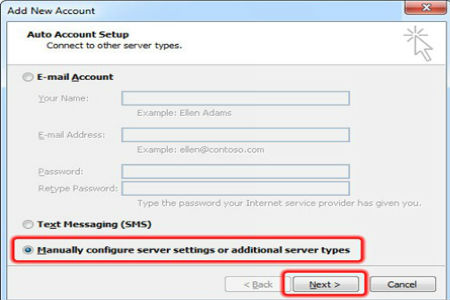
Check the ‘Manually configure server settings…’ option and select ‘Next.’
Step 3:
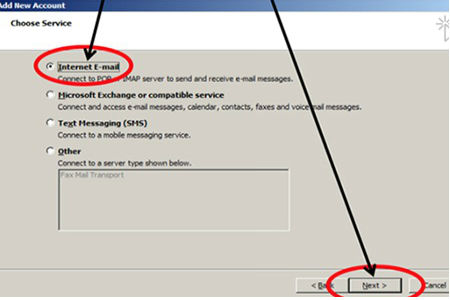
Select ‘Internet E-mail’ from Service Type list and hit ‘Next.’
Step 4: